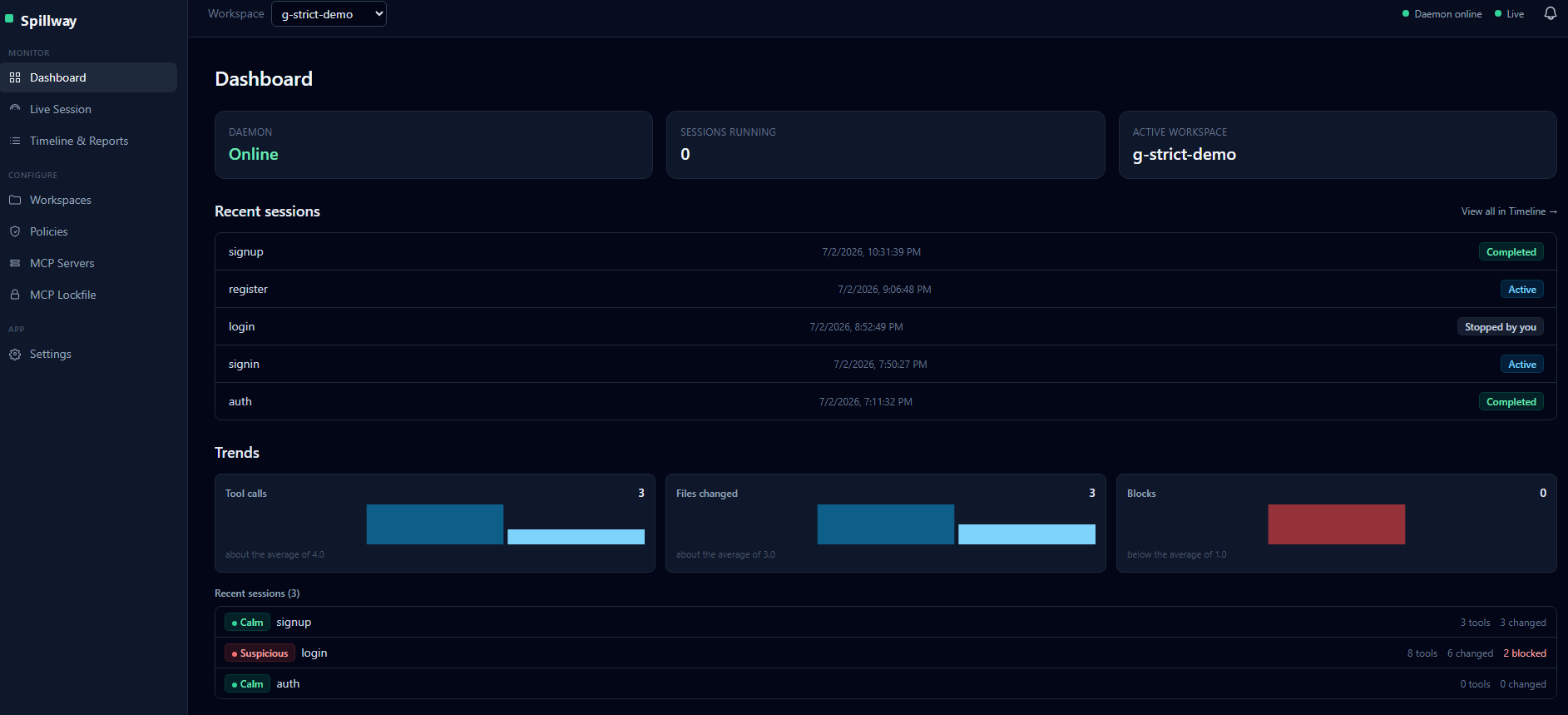
Spillway runs Claude Code inside an OS-enforced sandbox on your own machine. Your secrets stay unreadable — even to shell commands. Your API token never enters the sandbox. And you get a complete, honest record of everything the agent did.
Free during early access · Windows 10/11 · 100% local, zero cloud · macOS on the roadmap
Every developer running Claude Code, Cursor, or Codex on real projects knows these moments:
It read my .env. I only noticed because I happened to be watching the terminal.
Agents read broadly by design. Your API keys, tokens, and client secrets are just files to them.
I only run the agent on a copy of the repo.
If you need a sandbox copy to feel safe, you're not really using the agent — you're babysitting it.
Honestly? I have no idea what it touched last session.
When something breaks two days later, there's no record to check. You debug your own agent from memory.
Most agent-safety tools watch tool calls and hope the agent plays along. A single shell command slips right past them. Spillway layers three independent defenses — and the deepest one is the operating system.
Every tool call is checked against your rules in under a millisecond, before it runs. Block reads of secrets, writes to protected paths, dangerous shell patterns — including shell commands that merely mention a protected file.
In strict mode, the agent runs as a dedicated, restricted Windows account with real file permissions. It's not asked to behave — it physically cannot read what you didn't grant. Any command, any tool, any trick: same locked door.
Your real Claude API token never enters the sandbox. The agent holds a worthless dummy; a local proxy swaps in the real credential on the way out. Even a fully compromised agent can't steal what isn't there.
MCP servers are packages that run with your full permissions the moment they start. Every other tool — including plain Claude Code — launches them blind just to list their tools. Spillway doesn't. Before a session starts, each server is vetted inside Windows Sandbox: a disposable virtual machine with no network, no access to your files, and nothing to steal.
The server's package and version are checked against a known-bad advisory list, and its config is scanned for red flags — shell pipes, encoded blobs, credential-looking values. A known-compromised version blocks the session without ever being run.
Servers that pass screening are launched inside Windows Sandbox — networking disabled, your project and secrets never mapped in, everything wiped on close. Their tools are listed and fingerprinted where a backdoor has nothing to reach and nowhere to report to.
Every tool description is scanned for agent-manipulation attacks — "ignore previous instructions", hidden unicode, tool-shadowing names. Findings are scored High / Medium / Low: High blocks the session; anything lower, you decide with the evidence in front of you.
Windows Sandbox requires Windows Pro/Enterprise. Without it, Spillway degrades gracefully: static screening always runs and still blocks known-bad servers — and it tells you plainly which layer is active. Either way, at session time every MCP server is contained by the restricted sandbox account.
Blocking is half the job. After every session, Spillway turns the raw record into answers.
Every tool call, file change, shell command, and MCP call — timestamped, in order, kept locally. When something breaks later, you check the record instead of your memory.
Ask a finished session questions in plain English: "Why did you edit the payment module?" Spillway reopens the agent's own context so it answers about what it actually did.
Every session gets a verdict — Calm, Notable, or Suspicious — with plain-language reasons. A Security Spotlight surfaces exactly what was blocked, denied, or unusual.
.env files, keys, and certificates are blocked from the agent's tools and from shell commands — and in strict mode, denied by Windows file permissions on top.
Untrusted MCP servers are vetted in a disposable VM and risk-scored before any session. Every approved tool is fingerprinted; if a server silently changes a definition, the session refuses to start until you review it.
One click terminates the agent and its entire process tree — even across the sandbox account boundary. Policies can pull it automatically ("stop the session if X happens").
Spillway learns each project's normal. A session that deletes 10× more files than usual, or suddenly calls unfamiliar tools, gets flagged — even if no rule was broken.
The agent can't read, edit, or delete Spillway's own rules and audit trail — that protection is built in and can't be switched off by any policy.
No cloud, no account, no telemetry. The background service makes zero outbound connections. Your code and your session history never leave your machine.
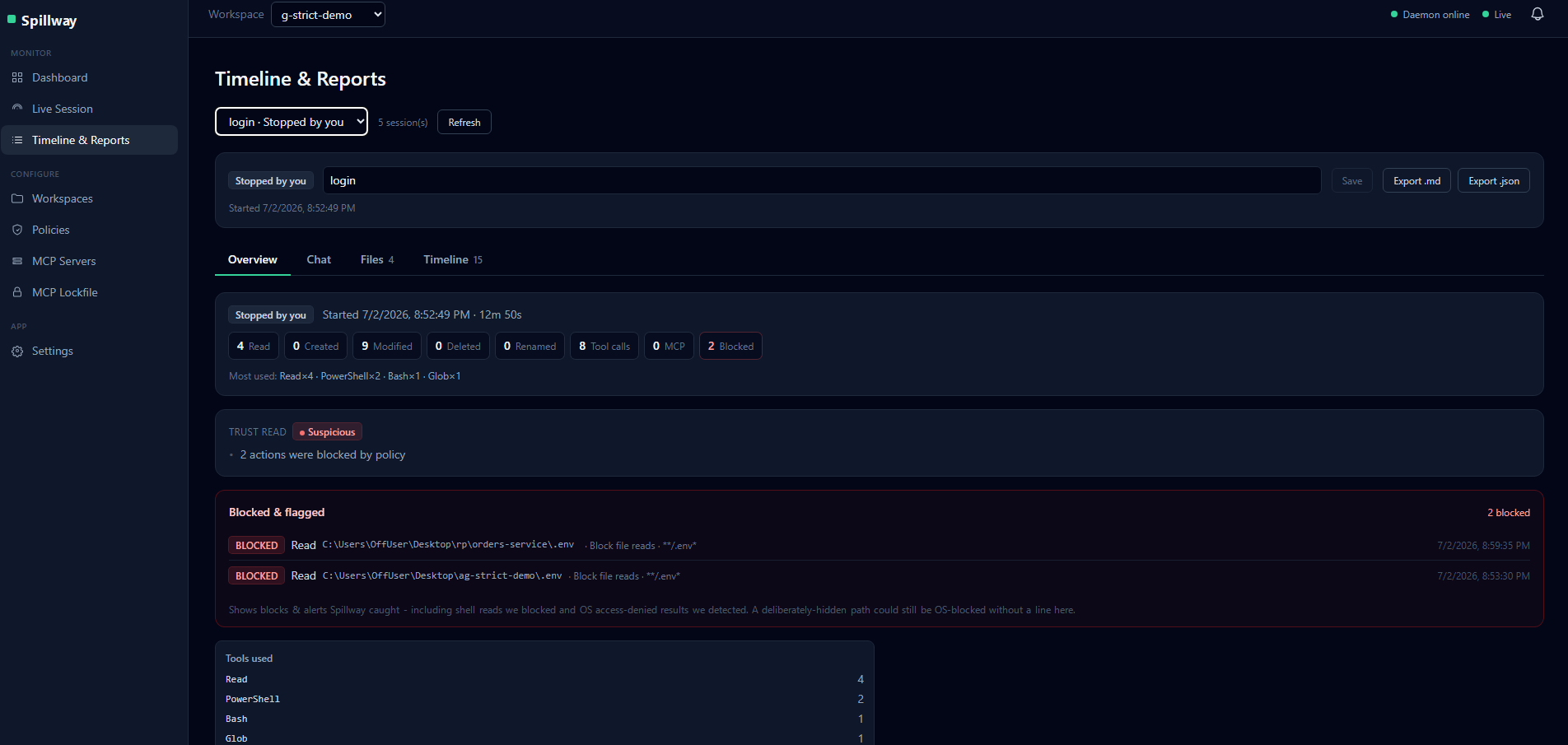
An agent was told to explore a project. It tried to read two .env files — one inside the project, one in a different folder entirely. Here's what that looks like.
.env reads blocked by policy, the session flagged Suspicious with plain-language reasons, every tool call counted — and the whole thing exportable as Markdown or JSON.
Open Spillway, choose the folder, and set what's off-limits. Sensible defaults (.env, keys, certs) are on from the first second.
One click launches Claude Code exactly as you know it — same terminal, same speed — wrapped in Spillway's policy layer, or the full OS sandbox in strict mode.
Code as usual. When the session ends you get the timeline, the risk read, and a report — and you can ask the session itself what happened and why.
Spillway is a security tool, so it holds itself to the standard it enforces.
No. The policy check runs in memory in under a millisecond, and the whole hook round-trip is budgeted under 100 ms per tool call. And it fails safe: if Spillway's service is ever slow or down, your agent keeps working — you lose protection, never your terminal.
Claude Code today, end to end. Cursor, Codex, and Gemini CLI are on the roadmap — the enforcement layer (OS sandbox, credential proxy, file watcher) is agent-agnostic by design.
Early access is Windows 10/11. macOS is next — leave your email and tell us your platform, it directly decides what we build first.
No. The agent can't touch Spillway's rules, database, or audit trail — that's blocked at the policy layer and, in strict mode, by Windows file permissions the agent's account simply doesn't have. Protection the protected thing can delete isn't protection.
This is the blind spot almost nobody covers: an MCP server is code that runs with your full permissions the instant it starts — and most tools launch it just to read its tool list. Spillway screens each untrusted server against known-bad versions first, then launches it inside a disposable Windows Sandbox VM (no network, no files) to fingerprint its tools and scan for poisoned descriptions. High-risk findings block the session; and at session time the server runs inside the restricted account anyway — so even a payload that behaved during vetting stays contained.
We can't. There is no server side. Spillway stores event metadata (which file, which tool, when — never file contents) in a local database on your machine, with secret-pattern redaction on top.
Free during early access. Paid plans will land in the range of other individual developer tools — early-access users lock in a founding discount, permanently.
A spillway is how a dam survives its own power: enormous force passes through on an engineered path, and when something goes wrong, the emergency gate dumps the load before disaster. That's Spillway for your AI agent: every action flows through a channel you control — full speed while it behaves, a hard stop the instant it doesn't.
10 early-access seats per batch · Windows · free while in early access